You
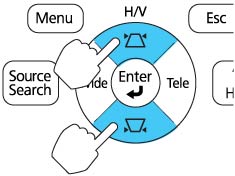
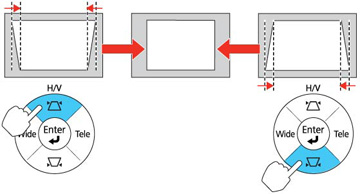
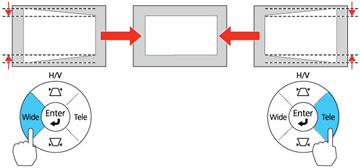
can use the projector's keystone correction buttons to correct the
shape of an image that is unevenly rectangular on the sides.
Note: For
interactive use, make sure the degree of horizontal and vertical
keystone correction is no more than ± 6º.
- Press one of these keystone buttons on the control panel to display the Keystone adjustment screen.
-
Press a keystone button on the projector's control panel to
adjust the image shape.
Note: The horizontal keystone adjustment buttons are labeled Wide and Tele.After correction, your image is slightly smaller.Note: If the projector is installed out of reach, you can also correct the image shape with the remote control using the Keystone settings in the projector menus.