|
1.
|
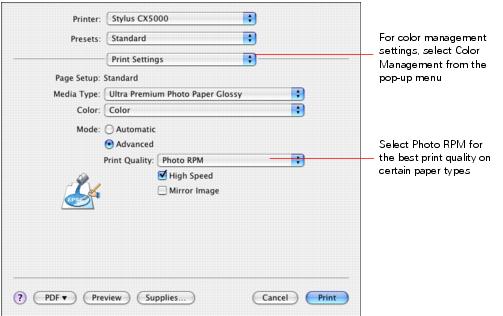
On the print settings window, click Advanced and choose these settings as necessary:
|
Note:
When you select Photo RPM for the highest print quality, printing will take longer.
For more information on advanced settings, or instructions on saving them as a group so you can reuse them later, click the ? button.
When you select Photo RPM for the highest print quality, printing will take longer.
For more information on advanced settings, or instructions on saving them as a group so you can reuse them later, click the ? button.
|
2.
|
Click Print.
|