Double-click the  printer icon in the bottom right corner of your screen (the taskbar).
printer icon in the bottom right corner of your screen (the taskbar).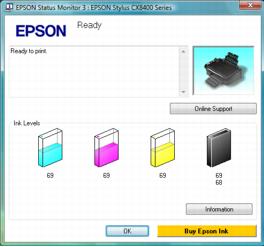
You may also see this screen the first time you try to print when ink is low (if your computer is connected to the Internet):
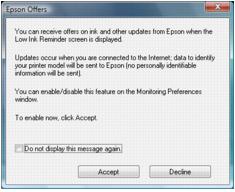
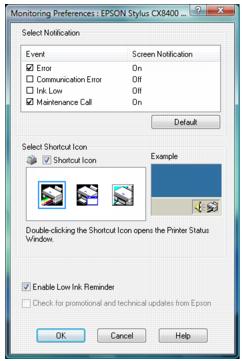
To disable checking for ink offers or updates from Epson, right-click the  printer icon in the bottom right corner of your screen and select Monitoring Preferences. Then click the checkbox at the bottom of the screen to uncheck it.
printer icon in the bottom right corner of your screen and select Monitoring Preferences. Then click the checkbox at the bottom of the screen to uncheck it.