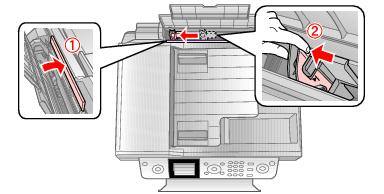
Load Paper : Load Envelopes

Load Envelopes
You can print on envelopes in 4 1/8 × 9 1/2 inch (#10) size.
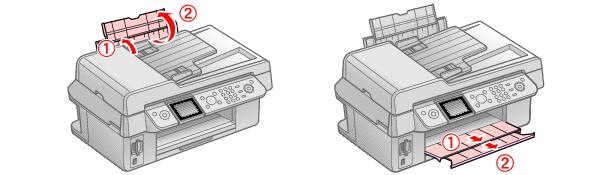
1.
2.
3.
4.
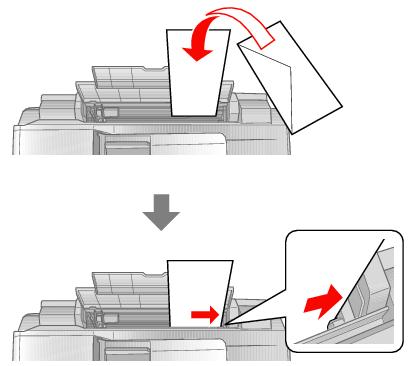
Load up to 10 envelopes against the right side and beneath the tab.
Load them printable side up and flap edge left.
Tip:
Press each envelope flat before loading it or load one envelope at a time.
5.
Note:
If ink smears on your envelopes or other thick paper, turn on the Thick Paper setting. Press the Setup button, select Maintenance, choose Thick Paper, and select On.
 
See also:
Load Paper for Photos
Load Paper for Documents