Print From Your Computer : Windows Printing

Print From the Picture and Fax Viewer in XP
With Windows XP, you can quickly print photos using the Picture and Fax Viewer.
1.
2.
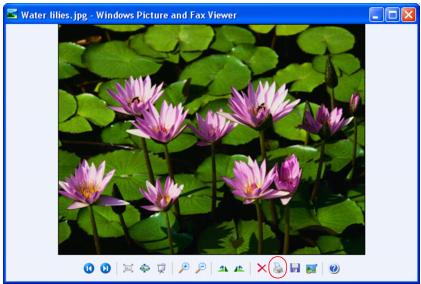
Right-click the photo, highlight Open With, and select Windows Picture and Fax Viewer.
3.
Click the  print icon at the bottom of the screen.
4.
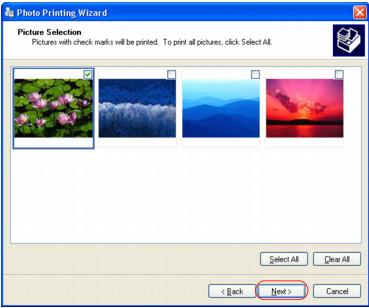
Click Next.
5.
6.
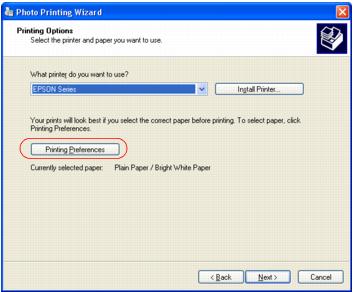
Select EPSON NX110 Series and click Printing Preferences.
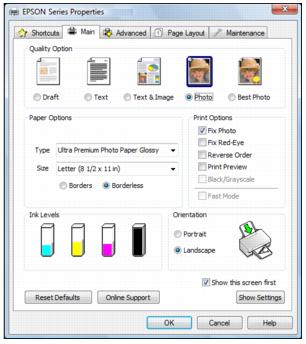
Your printer setting window opens:
7.
8.
9.
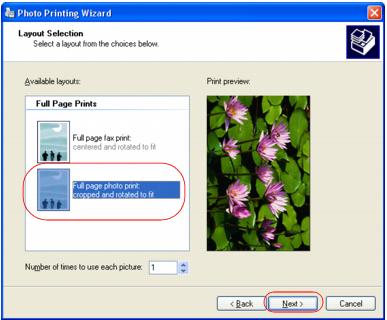
Click Next. You see this screen:
10.
Select Full page photo print and click Next.
Your photo prints.
During printing, you can check the print status.
See also:
Print From a Program
Change Default Print Settings