If paper has jammed in the auto duplexer, try these solutions:
- Cancel the print job from your computer, if necessary.
- Turn the printer around.
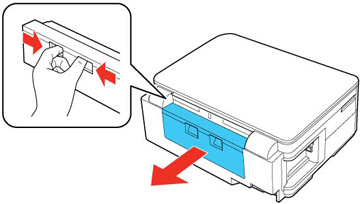
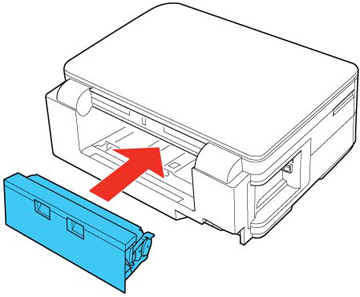
- Squeeze the buttons to release the auto duplexer and remove it from your product.
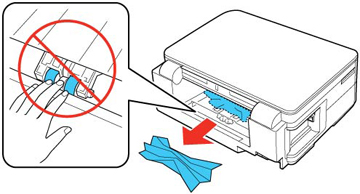
- Remove any
jammed paper from the rear of the product.
Note: Avoid touching the paper feed rollers.
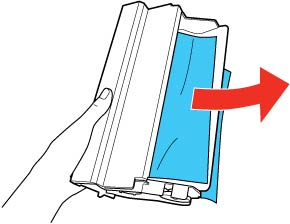
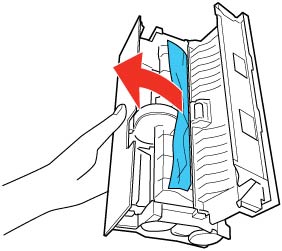
- Remove any jammed paper from the duplexer.
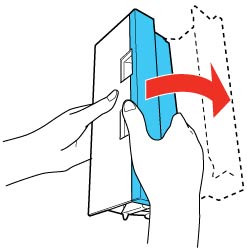
- Open the cover on the duplexer and remove any additional jammed paper.
- Reattach the duplexer.
- Press the
 Start button to resume printing. If you
still see a paper jam message, check the other paper jam
solutions.
Start button to resume printing. If you
still see a paper jam message, check the other paper jam
solutions.