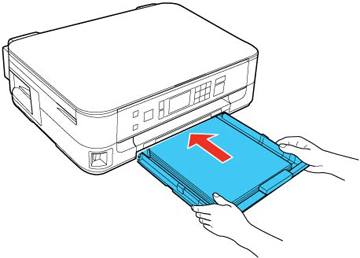
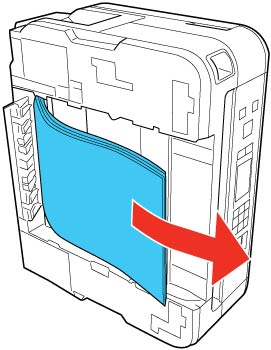
If paper has jammed in the paper cassette, try these solutions:
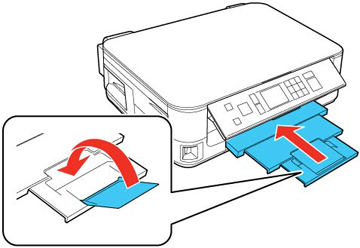
- Close the output tray.
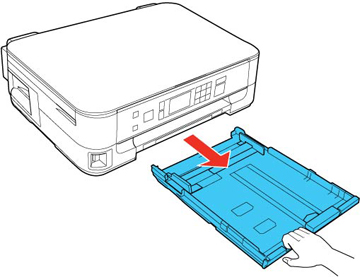
- Pull out the paper cassette.
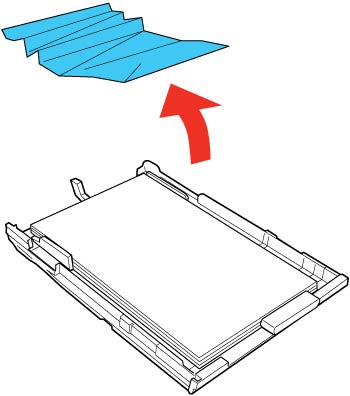
- Remove any jammed paper inside the cassette.
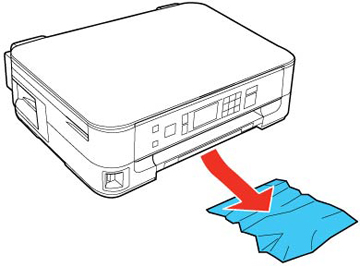
- Remove any paper jammed inside the paper cassette slot.
- Replace the paper cassette.
- Press the
 Start button to resume printing. If you
still see a paper jam message, continue with these steps.
Start button to resume printing. If you
still see a paper jam message, continue with these steps. - Turn off the product and unplug it from the electrical outlet.
- Close the output tray.
- Pull out the paper cassette.
- Carefully turn the product over onto the side and remove any jammed paper beneath.
- Place the product back on its base, then replace the paper cassette.
- Plug the product back into the electrical outlet, then turn it on.