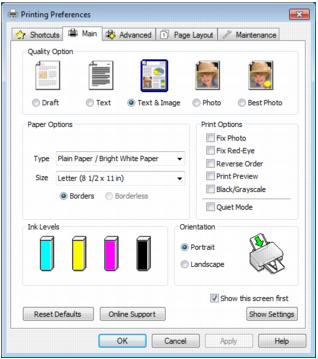
After you open a document or photo in a Windows program, follow these steps to access your print settings:
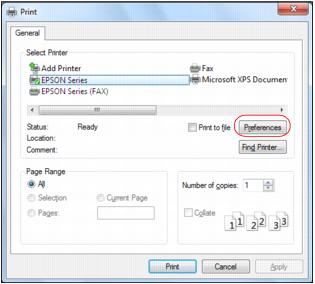
|
3.
|
Note:
If you don’t have these buttons, click Setup, Printer, or Options, then click Properties or Preferences on the next screen.
If you don’t have these buttons, click Setup, Printer, or Options, then click Properties or Preferences on the next screen.