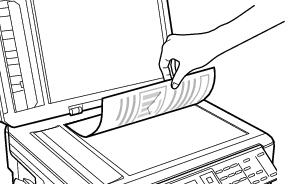
Place Originals for Copying, Faxing, or Scanning : Place Documents on the Scanner Glass

Place Documents on the Scanner Glass
You can place documents up to letter- or A4-size on the scanner glass. Before you start, make sure the glass is clean.
Note:
You can also copy a book or other thick document up to about 1/2 inch (12 mm) thick.
1.
2.
3.
Once you’ve placed your original document, you can copy, fax, or scan.
Note:
When there is a document on the scanner glass and in the Automatic Document Feeder, the document in the ADF will be scanned.
 
See also:
Place Documents in the Automatic Document Feeder
Place Photos on the Scanner Glass