
PictureMate's handle makes it easy to carry short distances. If PictureMate is going to travel a longer distance, you should pack it carefully to protect it from getting damaged.
Caution: Keep PictureMate out of the sun and don't leave it in your car or other location where it can get too hot or too cold.
 On button to turn it off.
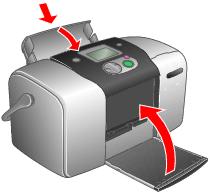
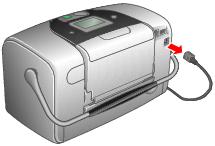
Caution: Make sure the photo cartridge is installed. Do not remove the photo cartridge before transporting. Don't place PictureMate on its side or upside down, or ink may leak.
Note: If your prints don't look as good after PictureMate has been moved, try aligning the print head. See Aligning the Print Head Directly From PictureMate.
Tip: You can order an optional PictureMate carrying case from the Epson Store at www.epsonstore.com (U.S. sales only). In Canada, please call (800) 463-7766 for dealer referral.