You can load
paper up to this size in the lower paper cassette: Legal (8.5 × 14 inches
[216 × 356 mm]).
Note: Do not
remove or insert the paper cassette during printing.
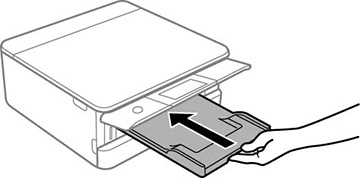
- Close the output tray, if necessary.
Note: As you slide in the output tray, there may be slight resistance and noise. This is normal.
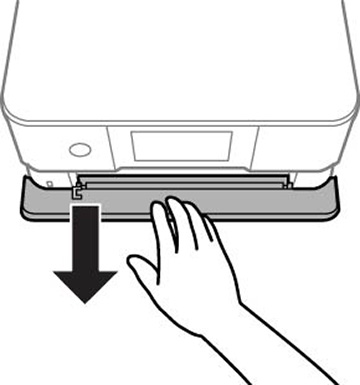
- Open the front cover.
- Pull on the front cover to slide out the lower paper cassette.
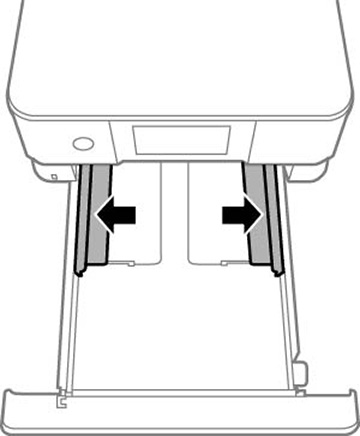
- Slide the edge guides outward.
- Do one of the following:
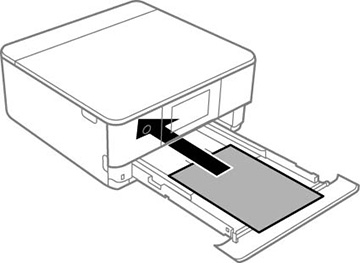
- Insert paper with the glossy or printable side face down.
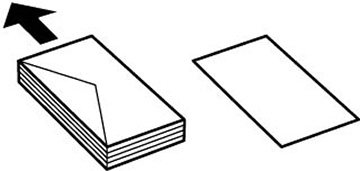
- Insert up to 10 envelopes, printable side down and flap edge left, as shown.
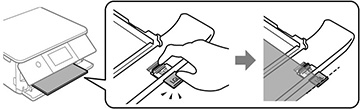
- For legal-size paper, extend the legal-size paper guide as shown. Load paper with the glossy or printable side facedown. Do not push on paper that extends beyond the cassette.
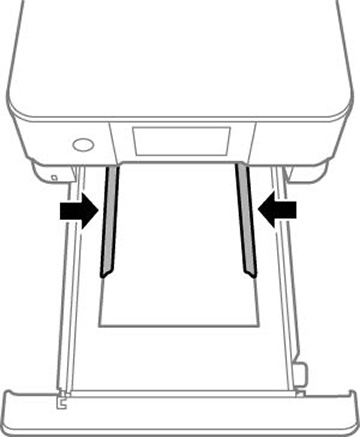
- Slide the side edge guides against the paper, but not too
tightly.
Note: Make sure the paper fits under the tabs on the edge guides.
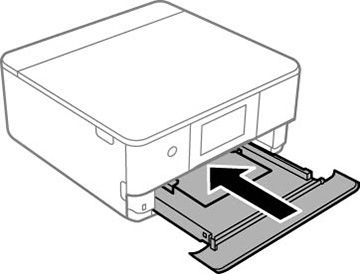
- Keep the cassette flat as you slide it into your
product.
Note: Leave enough space in front of the product for the paper to be fully ejected. Do not remove or insert the paper cassette while the product is operating.
- Lower the control panel.
- Select the size and type of paper you just loaded on the product LCD screen. The output tray extends automatically when you print.
Always follow
these paper loading guidelines:
- Load only the recommended number of sheets.
- Load paper short edge first and printable side down.
- Make sure the paper is under the tabs on the edge guides and not sticking out from the end of the cassette.
- If you have trouble loading a stack of envelopes, press each envelope flat before loading it or load one envelope at a time.
- If print quality declines when printing multiple envelopes, try loading one envelope at a time.
- Check the paper package for any additional loading instructions.