You can
print one or more photos from a memory card directly onto a CD/DVD.
If you want, you can first print a test design on plain
paper.
- Insert a memory card into the memory card slot on your product.
- Load the CD, DVD, or plain paper you want to print on.
- Press the
 home icon, if
necessary.
home icon, if
necessary. - Select Various prints.
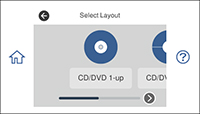
- Select Copy to CD/DVD > Print on CD/DVD. You see this screen:
- Select one of the CD/DVD layout options.
- Follow the instructions on the screen to select your photo or photos.
- When you see the screen to adjust the inner and outer diameter of your CD or DVD, adjust the settings if necessary, and select Select Type. You see this screen:
- Select Print on CD/DVD to print on a CD or DVD. If printing a test print on plain paper, select Test Print on Letter/A4.
- When you are ready to
print, select Print on
CD/DVD.
Note: To cancel printing, select Cancel and select OK to exit.