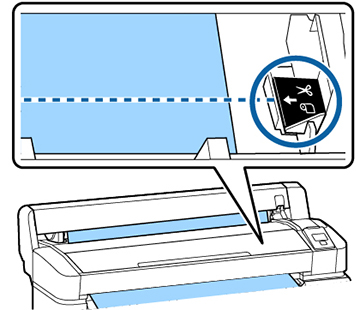
When you
finish printing, do one of the following to cut the media:
- If you turned on the Auto Cut setting on the product control panel, your product automatically cuts the media after printing each page.
- If you did not turn on the Auto Cut setting, follow the instructions here to cut the media manually.
Warning: Be
careful not to cut yourself when using cutters or other sharp
blades.
Note: The minimum
length of paper that you can cut with the built-in cutter is
2.36 inches (60 mm). If your printed image is smaller,
the built-in cutter must leave a margin that you can trim using a
commercially available cutter after removing the media from the
product.
 cut/feed media