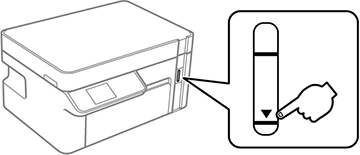
To confirm the actual ink remaining, visually check the ink level in the product’s ink tank. Make sure the ink level is above the lower line on the ink tank.
Fill the ink tank to the upper line when the printer is not operating to reset the ink level.
Caution:
If the ink level is below the lower line on
the ink tank, fill it to the upper line on the ink tank. Continued
use of the product when the ink level is below the lower line on a
tank could damage the product.