You can set
up the projector to send you an e-mail alert over the network if
there is a problem with the projector.
Note: If the
Standby Mode setting is set to Communication On in the Operation menu, you
can receive e-mail alerts even if the projector is in standby mode
(the power is off). The Standby Mode setting is displayed only if
the A/V Output setting in the Signal I/O menu is set to
While Projecting, the Auto Power
On setting in the Network menu is set to Off, and the Power On Trigger setting in the
Operation menu is set to Plug-in
Detection.
- Press the Menu button.
- Select the Network menu
and press
 Enter.
 - Select Network Settings
and press Enter.
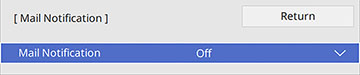
- Select the Mail
Notification menu and press Enter.
- Turn on Mail Notification.
- Enter the IP address for the SMTP Server setting.
Note: Do not use 127.x.x.x (where x is a number from 0 to 255).
- Select a type of Authentication for the SMTP server.
- Select a number for the SMTP server Port Number setting, from 1 to 65535 (default is 25).
- Enter a User Name for the SMTP server.
- Enter a Password for the SMTP server authentication.
- Enter the sender's email address as the From setting.
- Choose an Address field, enter the e-mail address, and select the alerts you want to receive there. Repeat for up to three addresses. Your e-mail address can be up to 64 alphanumeric characters long.
- If you are using the PJLink protocol for projector control, turn on the PJLink setting in the Projector Control menu and enter the IP address where you want to receive PJLink notifications as the Notified IP Address setting.
- When you finish selecting settings, select Return and press Enter to return to the Network Settings menu.
- Select Set, and follow the on-screen instructions to save your settings and exit the menus.