You can
enable or disable protocols using Web Config.
- Access Web Config and log in using the
administrator name and password.
- Select the Network Security tab.
You see a window like this:
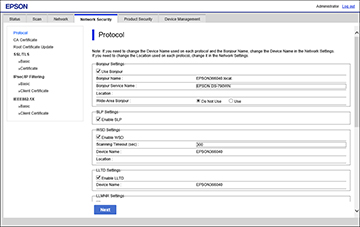
- Select
or deselect the checkbox next to the service name to enable or
disable a protocol.
-
Configure any other available protocol settings.
- Click Next.
- Click OK.
After the protocols restart, the changes are applied.