If your
product supports HTTPS, you can configure SSL/TLS to encrypt
communications with your product.
- Access
Web Config and log in using the administrator name and
password.
- Select the Network Security tab.
- Under SSL/TLS, select Basic.
You see a window like this:
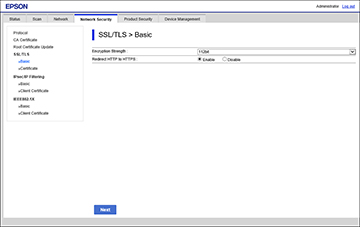
- Select one of the options for the
Encryption Strength setting.
- Select Enable or Disable
as the Redirect HTTP to HTTPS
setting as necessary.
- Click Next.
You see a confirmation message.
- Click OK.