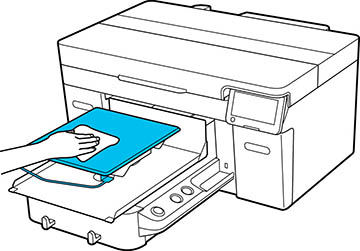
If the platen without a grip pad is dirty,
follow these steps to wipe off the dirt.
Note: When
printing on polyester T-shirts, the platen can be easily soiled
with ink. If this happens, wipe the platen off before it has a
chance to dry.
- If the platen is not in the forward
position, press the
 moveable base button to move it
forward.
moveable base button to move it
forward.
- Wipe the platen with a soft, clean
cloth to carefully remove any dust or dirt.
Note: If the dirt is difficult to remove, use a soft, clean cloth dampened with water and a small amount of ink cleaning solution or detergent and wrung tight. After that, dry the platen with a soft cloth.