You can
load a large, folded, fragile, or irregularly shaped photo in the
input tray using the carrier sheet included with your scanner. Make
sure the photo meets the photo loading specifications before
loading it.
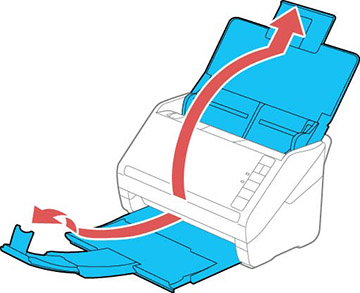
- Open the scanner cover, pull up the input tray extension, extend the output tray, and open the stopper.
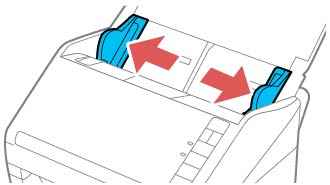
- Slide the input tray edge guides all the way out.
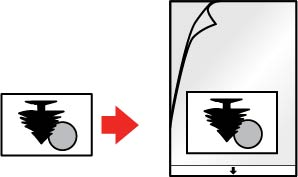
- Insert
your photo in the center of the carrier sheet with the printed side
faceup and the top edge facing the arrow on the sheet.
Note: If you have a portrait-oriented photo, you can rotate the image after scanning.
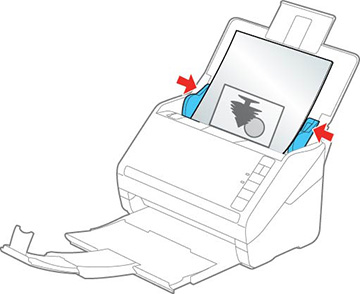
- Slide the edge guides against the edges of the carrier sheet.