You can print your photos with no margins, extending the image all the way to the edges of the page.
Note: For instructions on printing borderless photos on roll paper, see Printing on Roll Paper.
Although borderless printing is a bit slower, you get beautiful snapshots and enlargements, without trimming, on these papers and sizes:
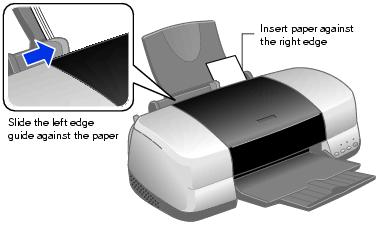
Load paper as shown below.
See these sections for instructions on selecting printer settings:
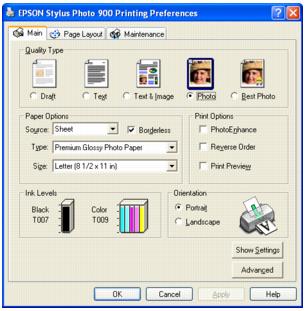
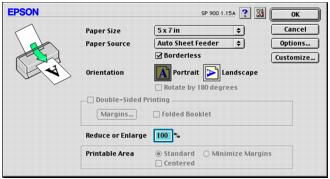
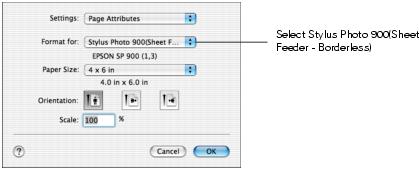
Caution: When printing borderless photos, select one of the supported paper sizes listed in this table; never select a custom or unsupported paper size or ink may spray inside your printer.
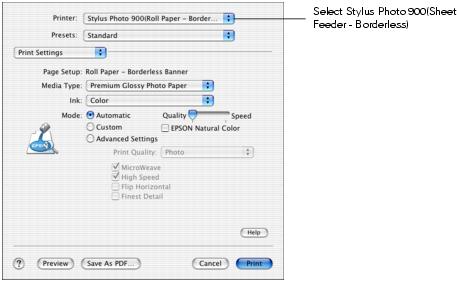
Note: Make sure you chose the same printer that you selected in step 3.