
Using Basic Projector Features
Monitoring and Controlling the Projector
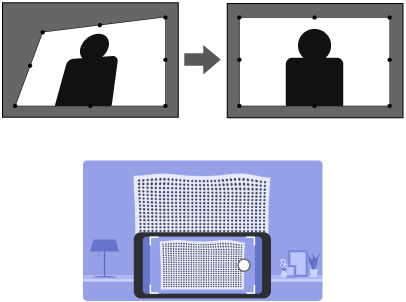
You can correct distortion in the projected image by following the on-screen instructions from the Installation menu.

To correct distortion more easily, you can use the Epson Setting Assistant application on a smartphone or tablet that has a camera function. Install the application by using the QR code displayed on the projected screen. The customer is responsible for any communication charges incurred when downloading the app.
Turn on the projector and display an image.
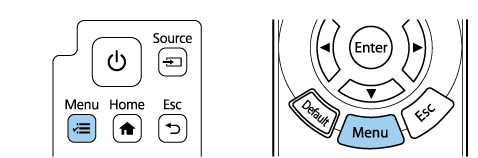
Press the Menu button on the control panel or remote control.
Select the Installation menu and press Enter.
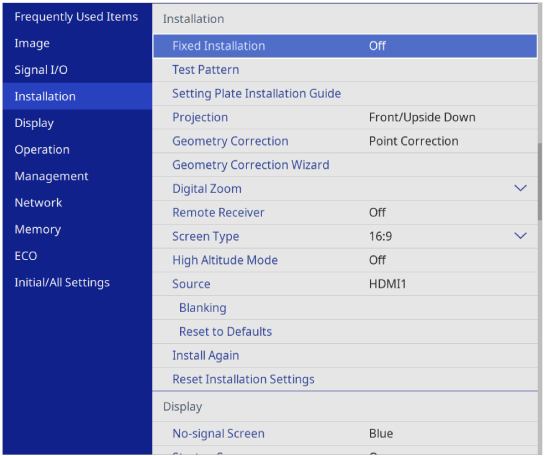
Select the Geometry Correction Wizard, and press Enter.
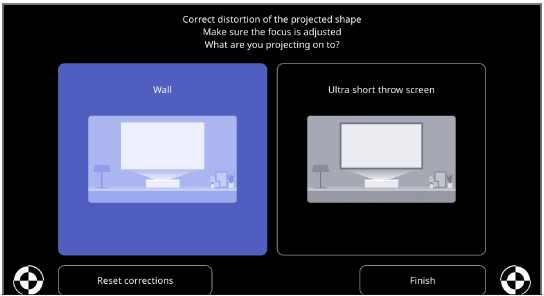
Follow the on-screen instructions to correct distortion in the image.
To close the menus, press Esc.