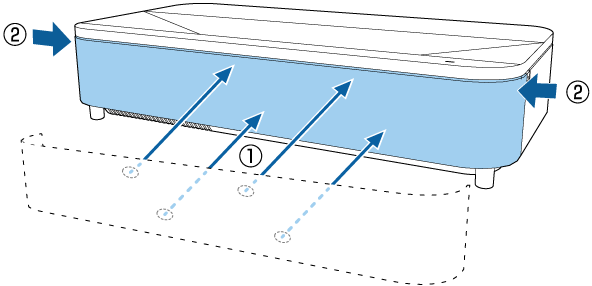
You need to clean the projector's air filters in the following situations:
The filter get dusty.
You see a message telling you to clean it.
Turn off the projector and unplug the power cord.
Carefully remove the front cover fixing points on the left and right side of the cover.
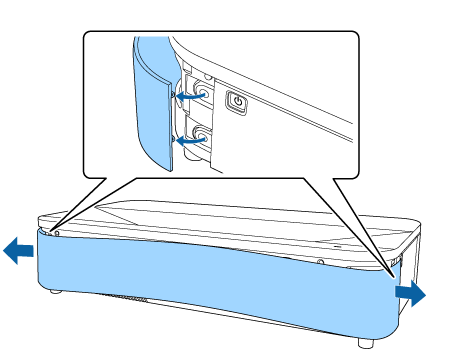
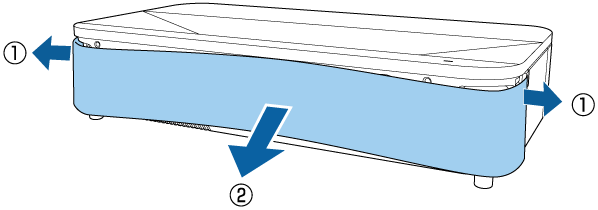
Remove the front cover.
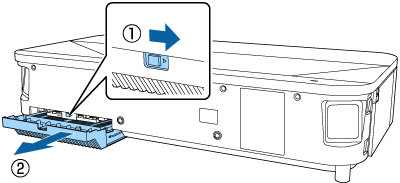
Slide the air filter cover latch and pull out the air filter cover.
Pull the air filter out of the air filter cover.

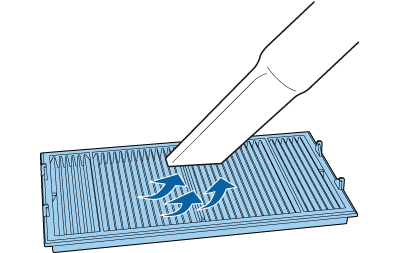
Vacuum the front of the air filter (the side with the tabs) to remove any remaining dust.
Do not rinse the air filter in water, or use any detergent or solvent to clean it.
Do not use canned air. The gases may leave a flammable residue or push dust and debris into the projector's optics or other sensitive areas.
Place the air filter with the four tabs facing down as shown.

Do not force the air filter cover to close with the tabs on the air filter facing up. Doing so could damage the projector.
Insert the air filter cover until it clicks into place.
Replace the front cover.